Grouping by week, month, quarter or other period
| Date: | Archived |
|---|---|
| Product/Release: | Crystal Reports for LANSA |
| Abstract: | The grouping facility in Crystal Reports for LANSA makes it easy to group data by week, month, quarter or any other period. |
| Submitted By: | LANSA Technical Support |
When grouping on a text or number field in Crystal Reports for LANSA, the standard sort/group options will be offered: ascending, descending, customized and original order. When grouping on a date field, additional options will be offered to indicate whether to group by day, week, month, quarter or any other period.
This tip describes how to group on a period based on a date field in the input file:
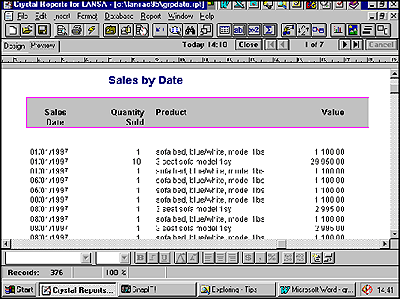
- Design a report as usual, (see an example below). If the "date field"
in the input is not a proper date field, but for example a number field or a text field,
convert it to a proper date field :
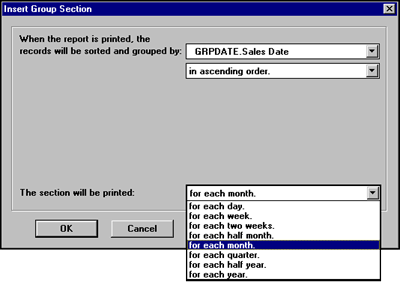
- Insert a group section for the required report period/frequency, by selecting the
Group Section command from the Insert menu. Select the date field to group on,
for example sales date. Notice that you get date related options:
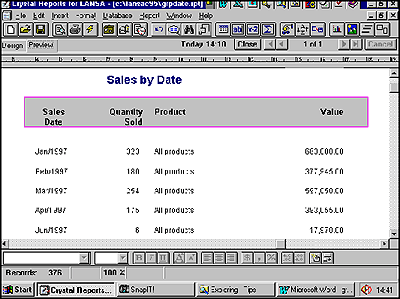
- After a group section has been inserted, all standard format section facilities are
available. In the report example below the details have been hidden and printed totals by
month: