Using a formula in your selection criteria
| Date: | Archived |
|---|---|
| Product/Release: | Crystal Reports for LANSA |
| Abstract: | Records can be selected for a report based on a comparison of multiple database fields or calculated fields |
| Submitted By: | LANSA Technical Support |
It is easy to select records for a report based on a comparison of multiple database fields or calculated fields, if the steps below are followed:
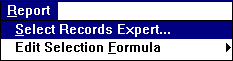
- Select the "Edit Selection Formula" command from the Report menu. To compare a database field with a constant, for example, March-Sales > 300,000, it is easiest to use the "Select Records Expert".
To compare fields with each other, for example, To select only those records where the March sales are higher than the February sales, then use the "Edit Selection Formula" command.
- In the formula editor, select fields and operators as usual and press the OK button when
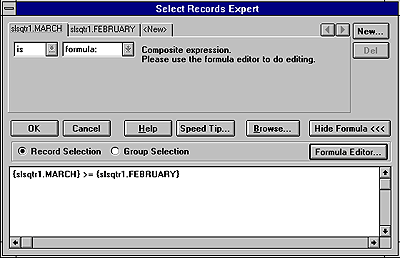
done. Once a formula has been entered and chosen the "Select Records Expert" the following dialog box will be displayed. Notice its also possible to select the Formula
Editor from this dialog box.