V15 SPIN0341 is available for one-step LANSA upgrades and installs
| Date: | April 2025 |
|---|---|
| Product/Release: | LANSA - V14 and V15 |
| Abstract: | One-Step Upgrade to latest Visual LANSA V15 EPC150070 version |
| Submitted By: | LANSA Technical Support |
LANSA V15 SPIN0341 - Release Highlights
Upgrade Smarter. Upgrade Faster to Visual LANSA 15 EPC150070.
We are excited to announce the release of Visual LANSA V15 SPIN0341, a new update that enables Visual LANSA users to upgrade to the latest Visual LANSA 15 in a single installation. This update enhances efficiency and productivity for teams relying on Visual LANSA, eliminating the need for multiple incremental updates from previous version 14 or as a new installation.
What’s New:
- One-Step Upgrade to latest Visual LANSA EPC150070 version: Jump straight to V15 EPC150070 without applying EPCs individually
-
Gain Full Access to Latest Visual LANSA 15 Features: Gain cumulative features and
enhancements added progressively from EPC150010 through EPC150070.
- For example: IBM i Apache HTTP Web Server Support for Publishing APIs (EPC150070 Highlights)
- Minimize Downtime for upgrade: Faster deployment means less disruption to projects and operations.
V15 SPIN0341 is specially curated for…
- New Installations: Ideal for customers installing V15 to get to the latest supported level in one step.
- Upgrading from V14 (any Service Pack or EPC level) to V15 latest EPC150070: Perform a version upgrade directly to V15 EPC150070 using V15 SPIN0341 without stopping at each EPC.
- Currently at V15 GA (No EPCs installed): Using V15 SPIN0341, select the ‘Modify or Repair an existing install’ option to re-install Visual LANSA and automatically apply all EPCs up to EPC150070.
Important Note:
If you’re already on V15 at any EPC level and would like to upgrade to latest Visual LANSA EPC150070, check your EPC level in the list below:
- At EPC150060? Apply EPC150070 manually (1 EPC install).
- At EPC150050? Sequentially apply EPC150060 through EPC150070 (2 EPC installs).
- At EPC150040? Sequentially apply EPC150050 through EPC150070 (3 EPC installs).
- At EPC150030? Sequentially apply EPC150040 through EPC150070 (4 EPC installs).
- At EPC150020? Sequentially apply EPC150030 through EPC150070 (5 EPC installs).
- At EPC150010? Sequentially apply EPC150020 through EPC150070 (6 EPC installs).
-
At V15 at mixed or unknown patch levels needing clean re-install (Windows Only)? Select Install LANSA from the main menu and use the ‘Modify or repair an existing install’ option to re-install Visual LANSA, which will apply all EPCs up to EPC150070 to your development environment. (refer to diagram below)
Note: For IBM Slave installs, LANSA on the IBM must already be at EPC150070 level or the System Init will fail with an EPC mismatch error between your VL slave and IBM server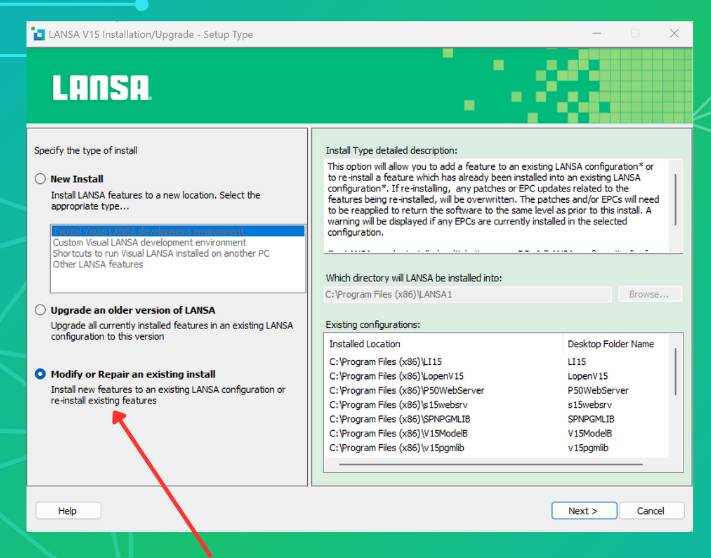
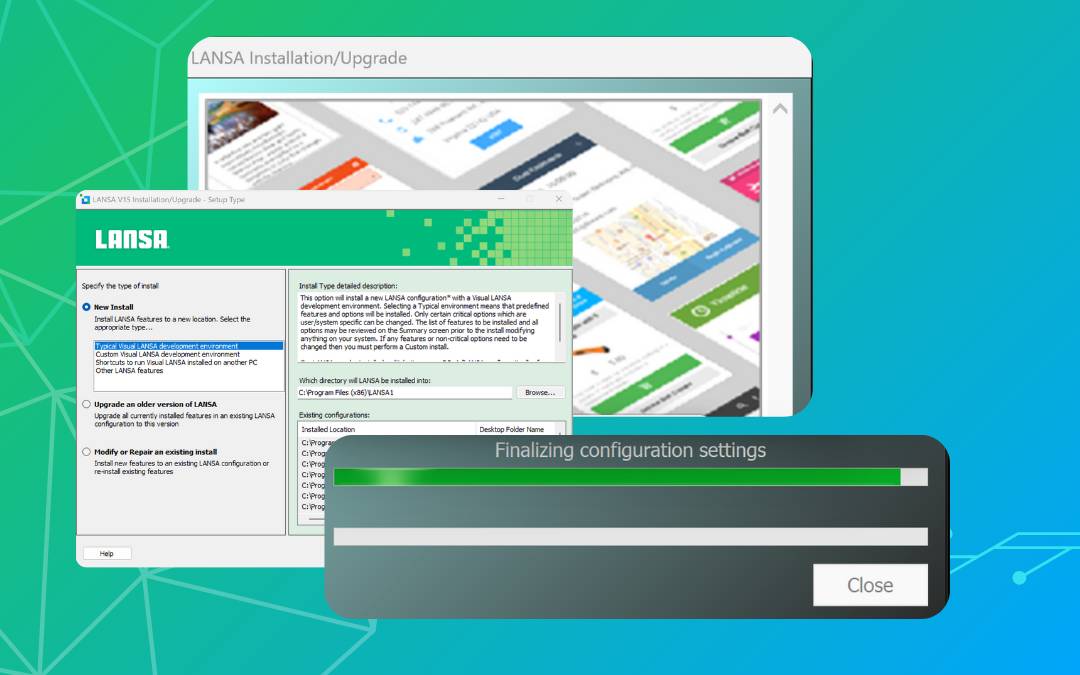
How to install V15 SPIN0341?
Download V15 SPIN0341 for installation, simply login to your LANSA download portal or contact any LANSA sales representative / account manager.
V15 SPIN0341 follows the same installation procedures as the standard V15 install:
- Windows: V15 Windows Install Guide
- IBM i: V15 IBM Install Guide
The documentation follows the current V15 documentation available here: LANSA V15 Documentation as well as the features and enhancements added via EPC150010 up to EPC150070. For example, after installing from V15 SPIN0341, you will be able to use the new feature that was added in EPC150070 - IBM i Apache HTTP Web Server for Publishing APIs.
Upgrade Today to gain access to the latest Visual LANSA EPC150070 with V15 SPIN0341