



As technology advances at an unprecedented rate, organizations find it increasingly difficult to keep their IBM i systems up-to-date and efficient. Legacy applications often lack the flexibility to integrate, offer limited scalability, and struggle to meet modern user expectations. However, replacing an entire system can be costly, risky, and disruptive. Add to that the shortage of skilled RPG developers making modernization all the more challenging.
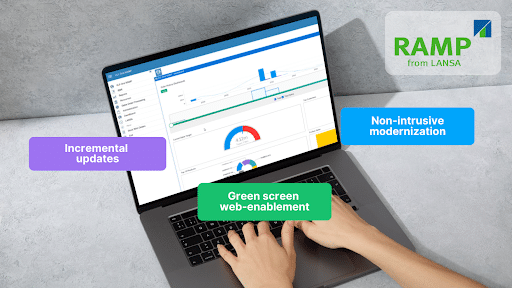
This is where LANSA’s RAMP steps in. RAMP provides a structured, low-risk, and incremental approach to 5250 modernization that allows businesses to replace green-screen interfaces with modern web interfaces and introduce new functionalities with less coding.
Key Insights
- Modular modernization is essential for organizations looking to avoid expensive and disruptive system overhauls. RAMP offers a phased approach that allows businesses to modernize at their own pace.
- RAMP bridges the gap between old and new by working with refaced green screens and new developments. It helps businesses preserve the core functionality of their existing systems while modernizing the user interface and adding new features.
- By leveraging RAMP, businesses can achieve faster application development, improve user experience, and ensure a scalable and future-proof modernization strategy.
Understanding RAMP and Modular Modernization
What is RAMP?
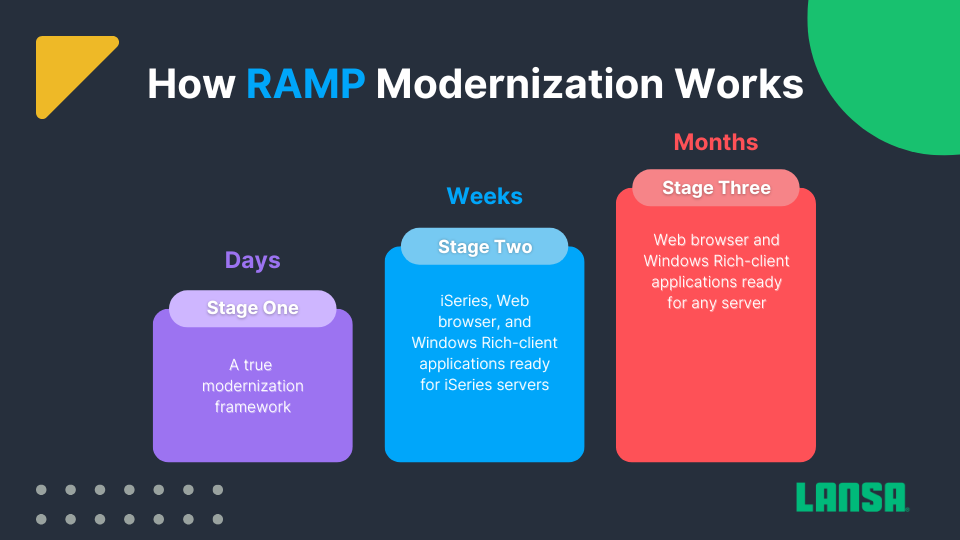
An illustration of how RAMP works
RAMP (Rapid Application Modernization Process) by LANSA offers a modular modernization solution that simplifies the transformation of existing IBM i applications. By combining flexibility with a phased approach, RAMP allows developers to preserve the core functionality of existing systems while modernizing incrementally. They can introduce new features, update user interfaces, and ultimately extend the life of legacy systems without disrupting day-to-day operations.
RAMP enables companies to modernize at their own pace and on their own terms. It starts by modernizing 5250 green screens with aXes to convert legacy IBM i applications into browser-based interfaces without modifying the backend. It wraps existing screens into a modern UI for improved usability and automates screen flows to reduce redundant steps.
These refaced applications are then integrated into the Visual LANSA framework, where they are combined with new web-based components to create a seamless and modernized system. RAMP and Visual LANSA work together to modernize legacy 5250 applications without altering backend RPG/COBOL logic.
The step-by-step modernization approach allows companies to gradually replace green-screen elements with fully modern components. Additionally, RAMP lets you “mix-and-match” existing iSeries 5250 screens and batch-based jobs with Visual LANSA components to enable execution on iSeries, Windows, or Linux servers in a web browser or as Windows rich-client applications.
Instead of replacing existing applications, RAMP integrates old and new functionalities into a single user interface to provide an efficient transition from legacy systems to a more scalable and user-friendly environment. Developers can further improve functionality using Visual LANSA to enable process automation, UI improvements, and business logic extensions to optimize efficiency and user experience.
The value of RAMP’s modular approach
Unlike a “rip-and-replace” strategy, which forces organizations to completely rebuild applications, RAMP allows businesses to modernize in phases:
- Preserve existing business logic while improving the UI.
- Integrate new features without disrupting workflows.
- Deliver modern functionality faster with professional low-code.
Why does this matter? A modular approach means businesses can start small and scale their modernization efforts over time, allowing a smooth transition with minimal risk.
The benefits of using RAMP
Using LANSA RAMP for application modernization brings numerous benefits to organizations looking to revamp legacy systems efficiently and effectively. By leveraging RAMP, organizations can modernize their applications with less complexity, improve user experiences, and ensure long-term adaptability.
Let’s dive into RAMP’s key benefits:
- Simplify green screen refacing. RAMP utilizes aXes to redefine IBM i green screen applications into modern user-friendly web and mobile interfaces without touching the underlying RPG or COBOL code.
- Extend and improve with Visual LANSA. Once applications are refaced, RAMP integrates with Visual LANSA to add new functionalities. This allows further modernization without the need for legacy language development.
- Maximize existing investments. By building on top of your current IBM i applications, RAMP helps extend the life and value of your core systems to reduce redevelopment costs and create opportunities to save.
- Faster delivery of business solutions. RAMP’s incremental approach enables you to deliver enhanced functionality to end-users more quickly to minimize risk and speed up time-to-value.
Guide to 5250 Modernization with RAMP
RAMP modernizes IBM i applications and leverages the Visual LANSA Framework to accelerate the application development lifecycle. It enables developers to streamline coding, seamlessly integrate IBM i systems, and automate processes.
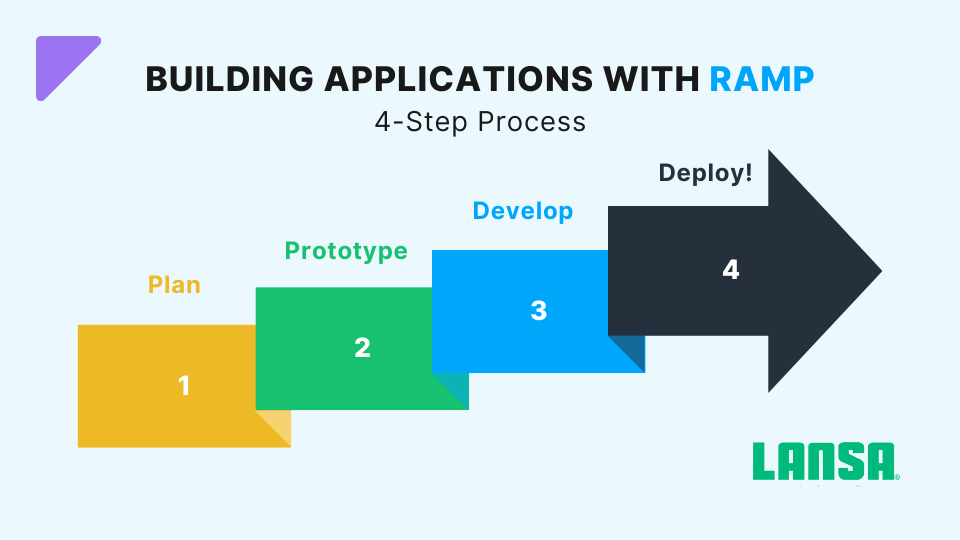
Step 1: Planning Your Application
Begin by creating a clear roadmap that defines goals, user requirements, and application structure before you start modernizing. Set objectives upfront, whether you plan to improve the UI, optimize workflows, or add new functionality to focus your efforts and avoid unnecessary complexity.
Next, break the application into modules (for example, user processing, customer management, and reporting) to align modernization with both business goals and user needs. Then, prioritize which modules to modernize first to concentrate on high-impact areas that offer the most value, such as customer-facing features or performance bottlenecks. Consider dependencies, user needs, and technical challenges when determining the order of implementation.
Step 2: Prototyping
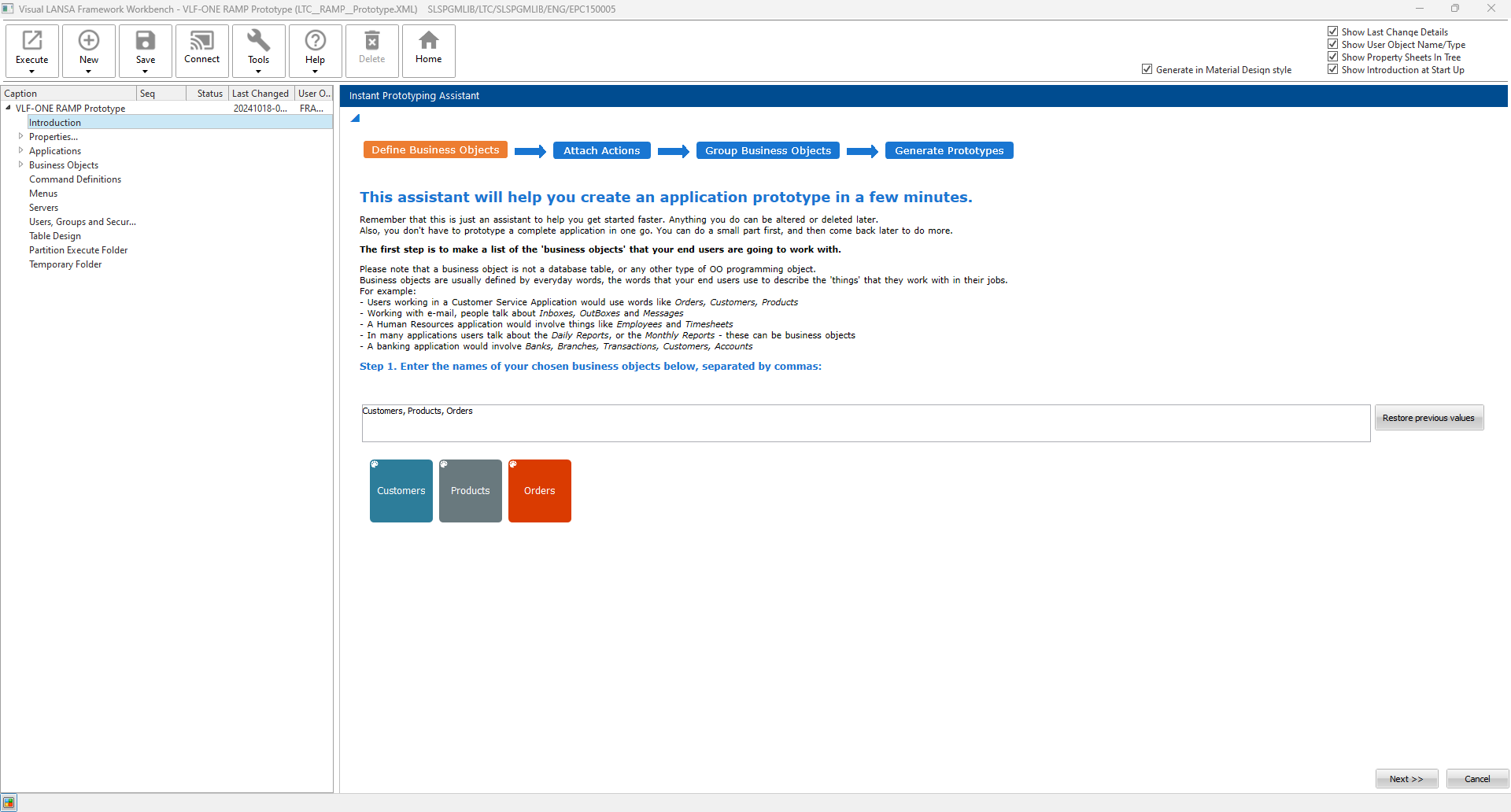
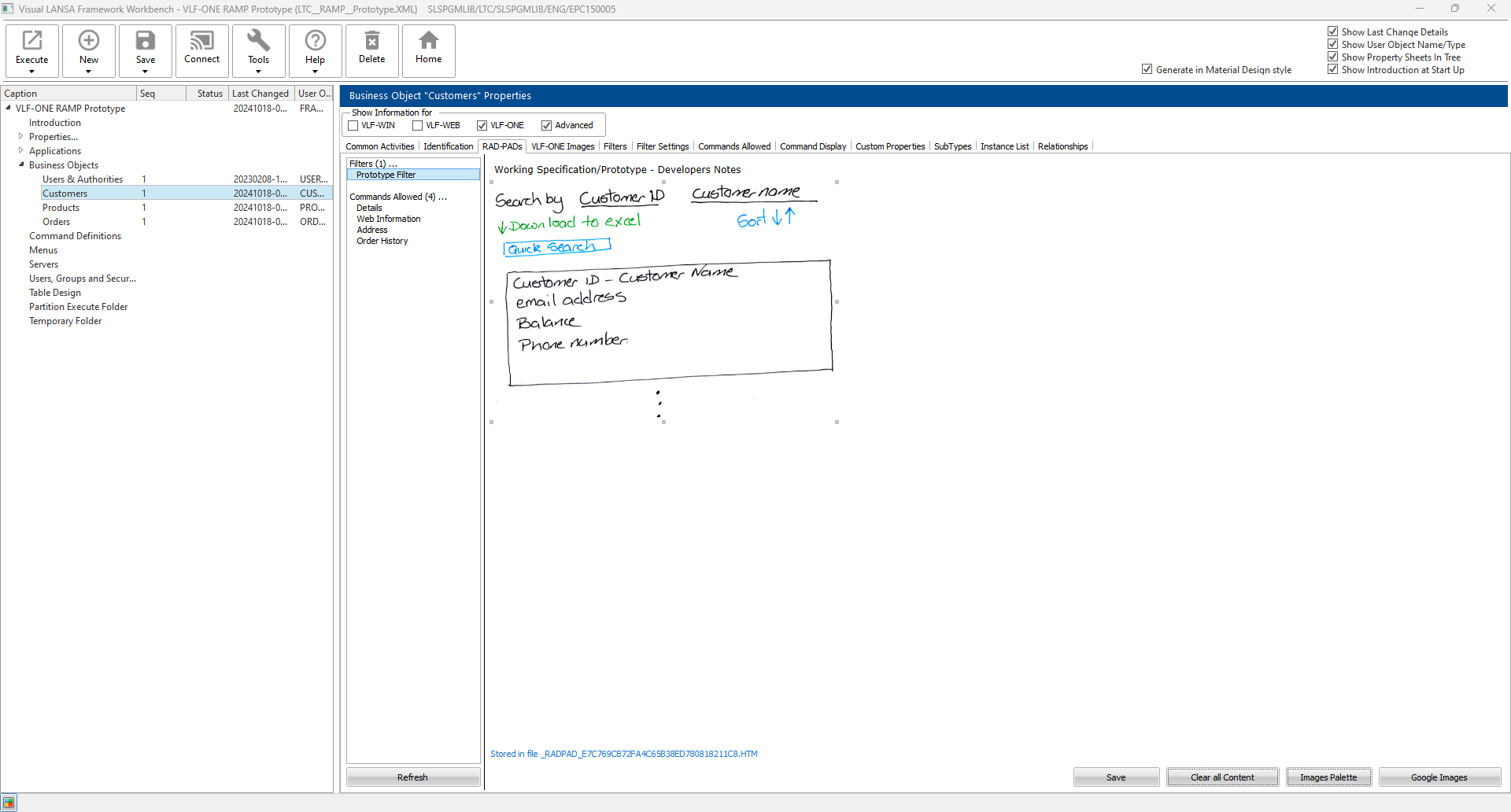
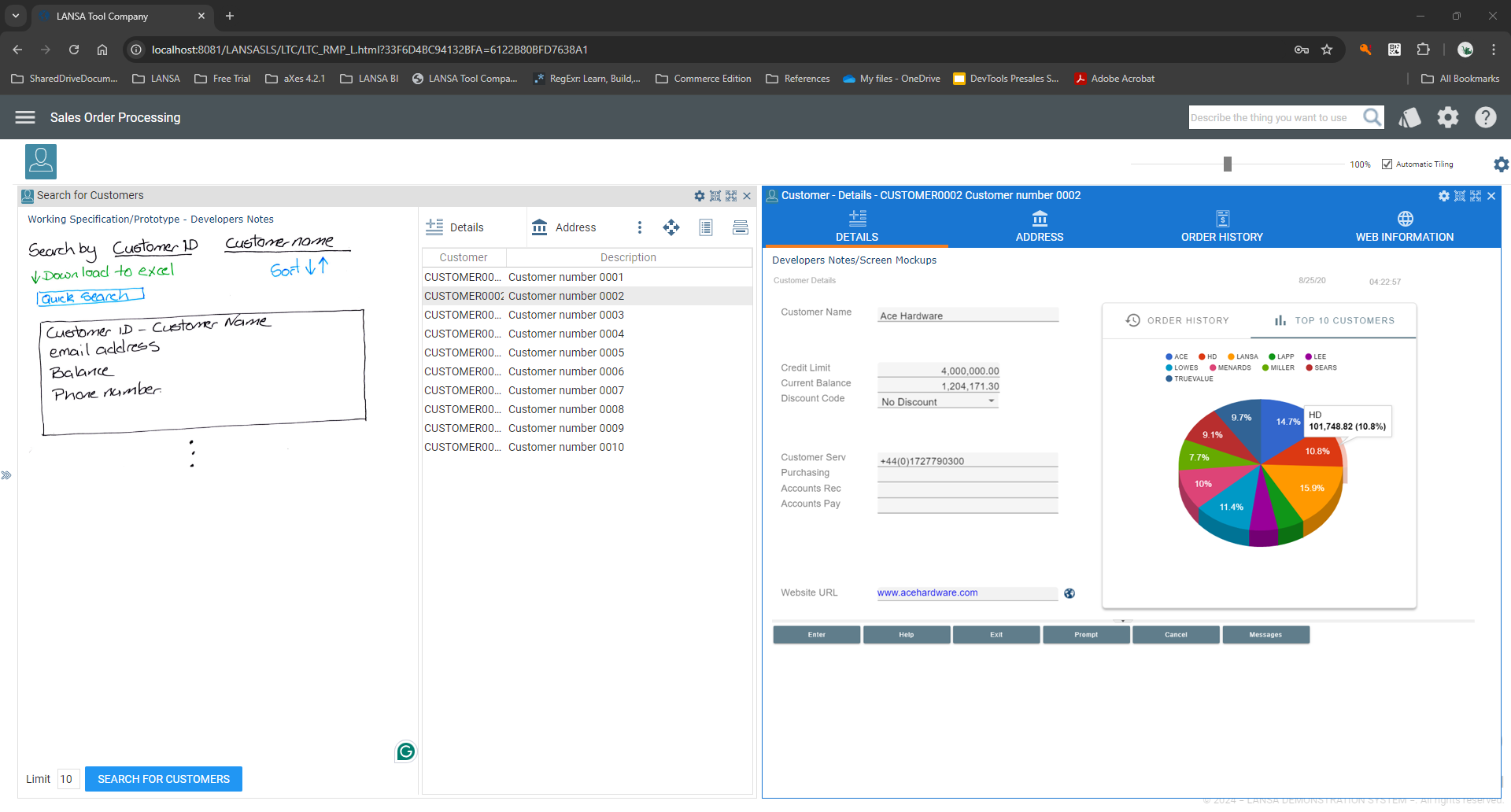
Create working prototypes of key features, so you can visualize your design and workflows early on. Share these prototypes with stakeholders to gather immediate feedback, and refine your approach based on their input. You can also include notes and screenshots (like those shown below) to capture ideas and track changes effectively throughout the prototyping phase.
- Prototyping for user verification:
Engaging users during the prototyping stage is essential for gathering feedback and ensuring that the modernized application aligns with their needs. RAMP’s Instant Prototyping Assistant allows the creation of different prototype versions for comparison and discussion with the users. This iterative process helps identify user preferences early and address potential issues, ensuring a more intuitive and user-friendly final product.
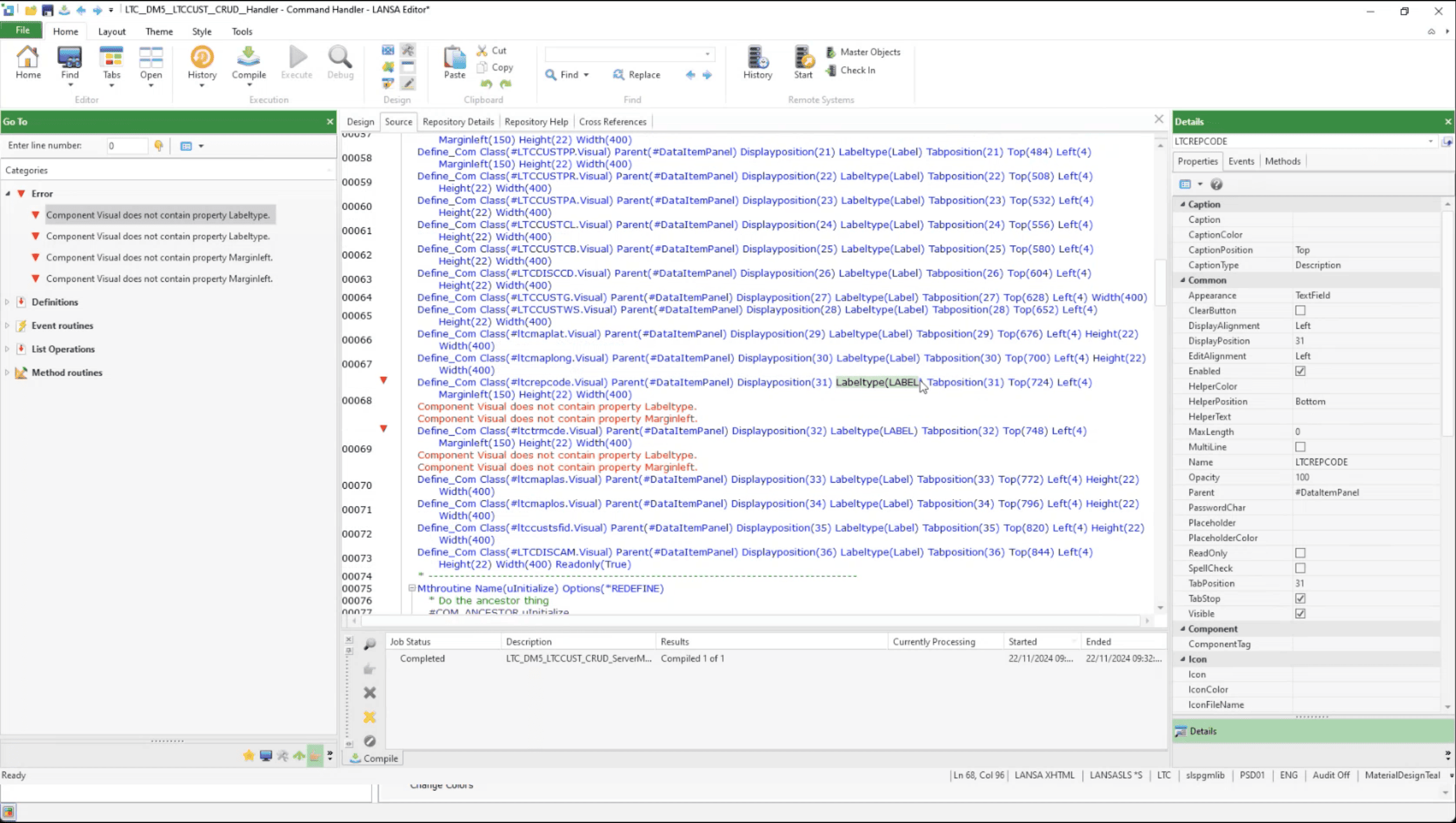
Checking the prototype for issues - Identifying and fixing issues:
As you work with the end users on the prototype. RAMP allows developers to identify and fix issues directly in Visual LANSA, where the application logic is managed and optimized for performance.
There are significant benefits to getting stakeholder involvement in a software development project. Engaging them in the prototyping phase not only increases the project’s success rate but also fosters a stronger sense of ownership and commitment. Early visualization and validation of the modernized application help mitigate risks and ensure alignment with stakeholder expectations. By rapidly creating working prototypes, developers can experiment with different features, gather feedback, and refine the design before full development begins. This collaborative approach leads to clearer expectations, higher user adoption, and a final product that truly meets business needs for both efficiency and long-term success.
Step 3: Developing Application Logic
Establish application logic to manage your application’s workflow. Define clear control structures and integrate modules so that all parts communicate effectively. Develop core routines and error handling mechanisms to have a smooth user experience, and continuously test your logic to maintain consistency and efficiency throughout the application.
- Utilizing RAMP’s screen wrappers:
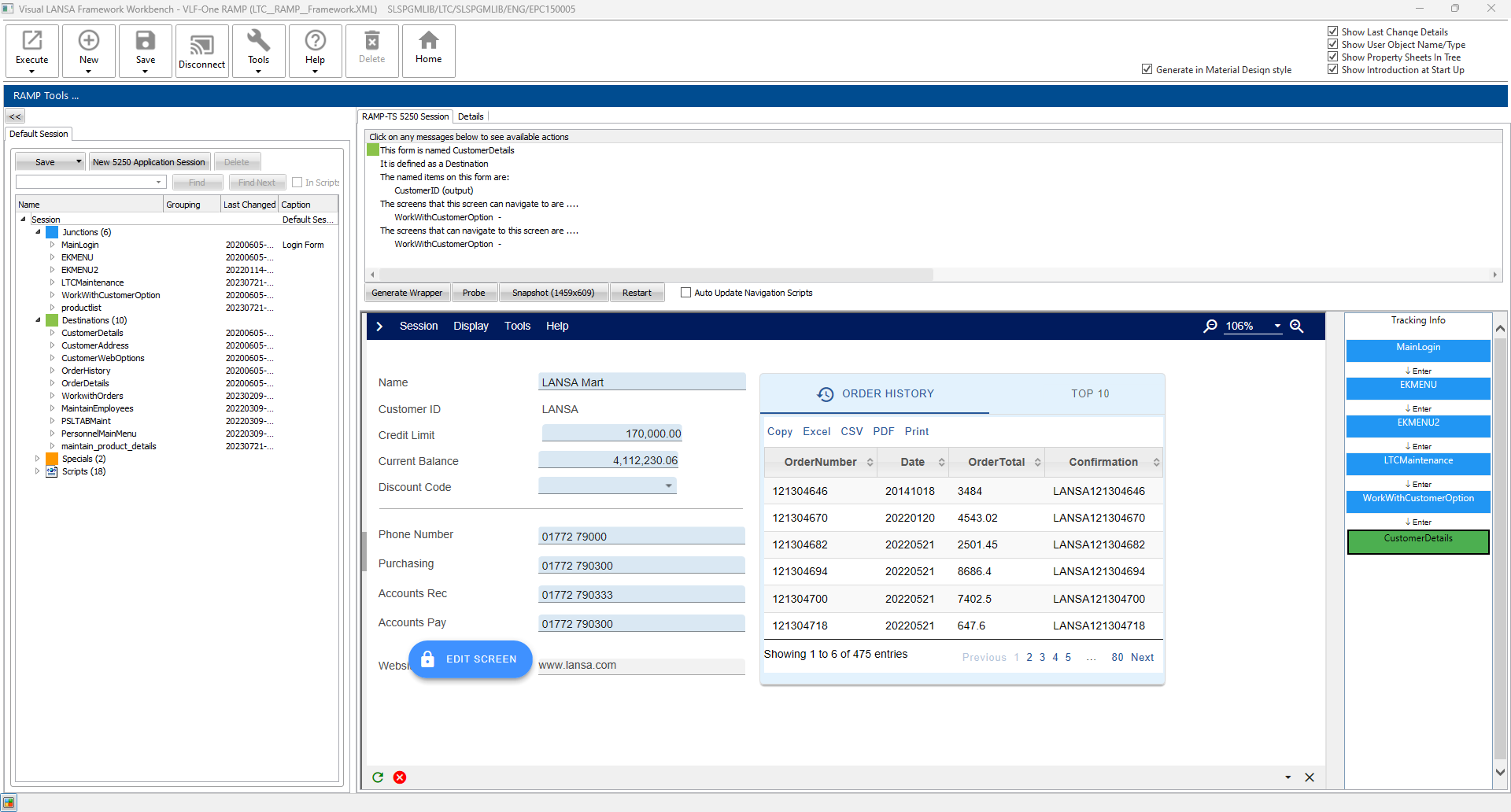
With RAMP, you can transform 5250 screens into a modern GUI application without altering the underlying business logic. It automatically extracts values from legacy 5250 screens and use wrappers to present them to the user in a modern format, transforming functions into interactive menus, creating fields, dropdowns, and other interface elements.The image below illustrates how RAMP “wraps” an original 5250 screen with a modernized interface. On the left, you see a user-friendly GUI (the “RAMP screen wrapper”), and on the right is the underlying 5250 screen, which is still running in the background but is not visible to end users.The labels GETVALUE() and SETVALUE() show how RAMP extracts data from, and sends data to, the original 5250 screen. Essentially, RAMP intercepts the old green-screen interactions and presents them through a modern GUI to allow the application to retain its existing logic while providing an updated user experience.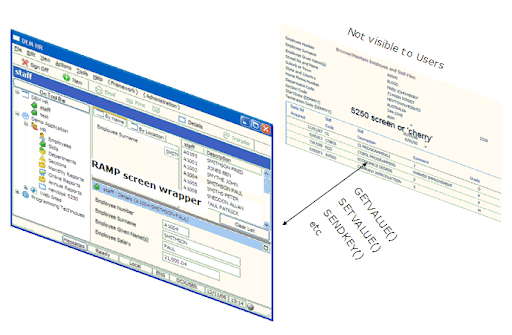
RAMP screen wrappers - Implementing business rules and workflows:
RAMP maintains the original system’s logic by integrating predefined validation rules and automated processes that control data handling. This approach allows users to interact with modernized screens while making sure that the core business logic remains consistent with the original 5250 system. This approach preserves existing functionality and workflows while presenting a more intuitive, user-friendly interface, ultimately making your application more efficient and easier to navigate.
You don’t need to rewrite your applications from scratch; just refactor and integrate. Developers don’t need to master multiple languages. RAMP allows them to modernize applications with a single skill set.
Step 4: Deployment
Once the modernized application has been thoroughly tested and finalized, it’s time to make it live.
- Preparing your 5250 application for launch:
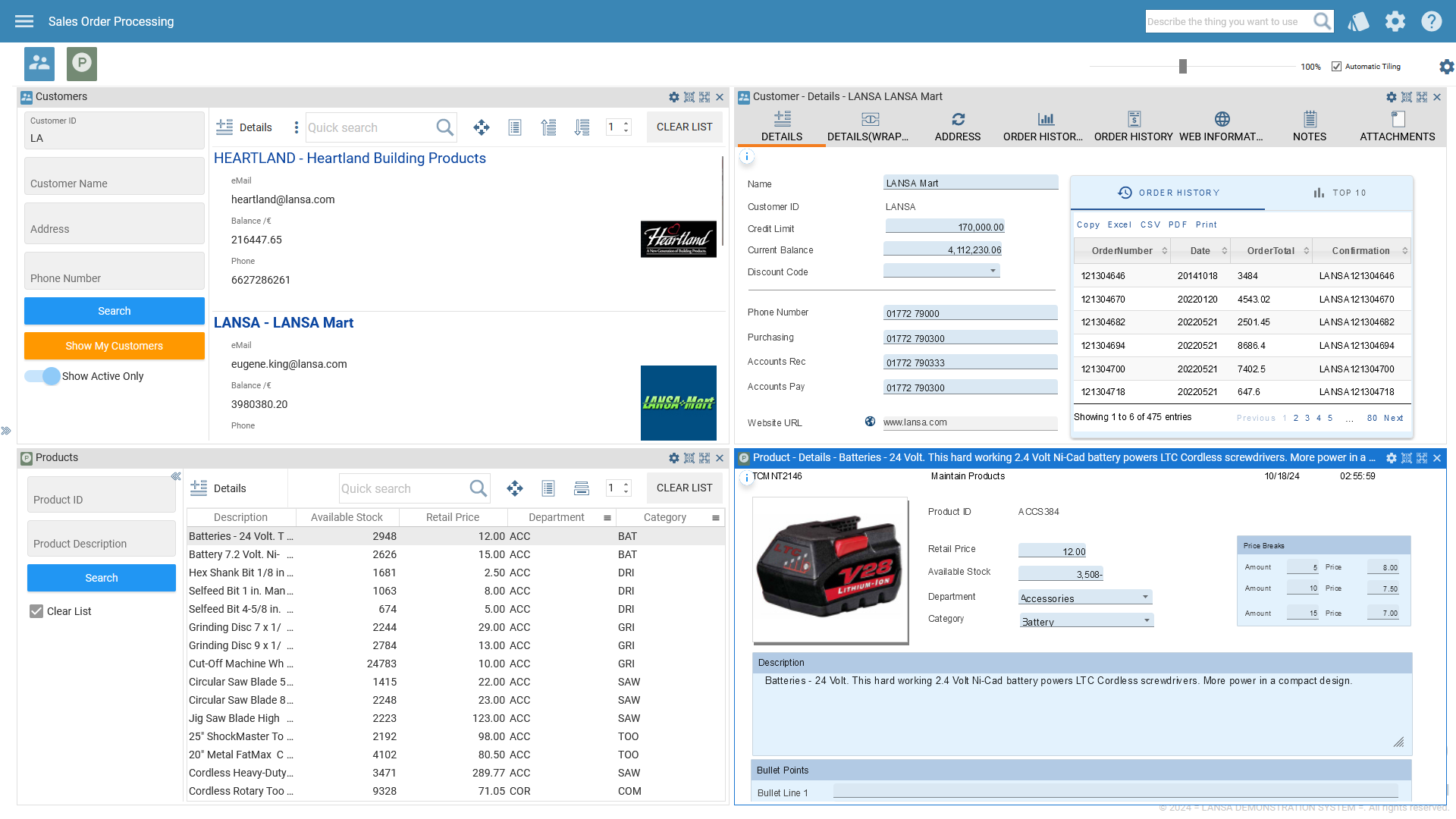
Before deploying your modernized 5250 application, always make sure you undertake an extensive testing phase. All elements must be seen to function and work in tandem to form a coherent and holistic perspective that includes checking the flow of data, user interfaces, and backend processes. Applications developed using the Visual LANSA and RAMP Framework can be deployed across various platforms, including web, mobile, and Windows. - Deploying using the Visual LANSA deployment tool:
The final step is deploying your modernized application using the Visual LANSA deployment tool. You can create either an MSI (full install) or MSP (patch install), and it also supports scaling in Cloud environments (AWS/Azure) using the LANSA deployment template.
By leveraging extensive testing, businesses can confirm that data flows, user interfaces, and backend processes work cohesively before launch.
Accelerate Development with RAMP’s Modular Approach
RAMP by LANSA offers a modular approach to modernizing legacy applications without disrupting existing systems and without the need for an expensive hardware overhaul.
By leveraging RAMP’s structured approach—from planning and UI design to integration, development, testing, and deployment—developers can modernize applications incrementally, reducing risk and ensuring swift delivery.
Employ RAMP to accelerate your modernization process and future-proof your applications.
See RAMP Modernization Capabilities in Action!
Ready to accelerate your application modernization process? Discover how RAMP’s modular modernization solution simplifies and speeds up the transformation of your existing IBM i applications to meet today’s business needs. Watch this webinar or contact a LANSA modernization expert today to start transforming your applications.